01 / SCANNING
A scan for every situation.
Smart Scan PRO brings together Quick, Full and Custom profiles. Choose what to inspect, adjust exclusions and follow progress.
QuickFullCustom
Files, folders and drives.
A new experience for ClamAV on Windows. Scan your files, monitor changes and understand the results. With you always in control.
01 A MORE COMPLETE EXPERIENCE
ClamAV capabilities, with tools to work with your files and understand what is happening.
Smart Scan PRO brings together Quick, Full and Custom profiles. Choose what to inspect, adjust exclusions and follow progress.
Reversible quarantine, restoration and deletion with confirmation. Review a detection and decide what happens next.
Guard, USB Watch, Download Guard and the anti-ransomware monitor add optional monitoring for the activity you choose to observe.
02 EXPLORE PALCLAM
From the first scan to email, artificial intelligence and performance details. All in one environment.
SMART SCAN PRO
A clear workflow to select, scan and review results with the local ClamAV engine.
Quick, Full and Custom; priorities, exclusions and archive scanning. Pause and resume between batches, or stop the scan.
Check ClamAV and its databases, and update signatures with FreshClam. Scan offline using the available local databases.
Schedule scans and scan from Windows Explorer in the installed edition. Precise mode reports individual files, at the cost of speed.
Distinguish detections, errors and unexamined items. A cancelled or incomplete scan is never presented as clean.
OPTIONAL MONITORING
Enable the monitors you need and review their notifications and local history. You choose the scope.
Observes changes in selected folders and enables scanning of detected activity. Machine Guard adds an optional computer service in the installed edition.
Detects new drives classified as removable by Windows and monitors Downloads when enabled. Some USB drives are identified as fixed.
Correlates renaming signals and suspicious changes in selected local folders. Issues alerts and keeps history; it does not block writes or decrypt files.
Monitors interruptions and records incidents. This is a status monitor: it cannot prevent a privileged process from closing PalClam.
PALCLAM MAIL
Inspect supported email and distinguish detections, heuristic warnings and content that could not be examined.
Scan exported email and supported attachments. Import MBOX, including extensionless Thunderbird mailboxes, and Maildir from cur/new folders.
Copy messages from a selected folder in an already open classic Outlook session. PST and OST content is accessed through folders mounted in Outlook, without parsing the files directly.
Optional, authorised access to supported email folders, including for the new Outlook. Uses delegated read permissions and keeps tokens in memory only.
Import uses copies and size limits. Skipped items are reported: universal traffic inspection across all email clients is not promised.
PALCLAM AI
AI Security Analyst helps you interpret notifications, scans, quarantine and component status.
Review the prepared text and authorise each remote query. AI interprets information: it does not replace ClamAV verdicts or decide to delete files.
Connect Ollama or LM Studio to work with a local provider configured on your computer.
OpenAI API, OpenRouter, Gemini, Grok, Claude, Groq, DeepSeek, Mistral, Perplexity, Together AI and custom compatible APIs.
Saved keys are encrypted using Windows protection. External providers may charge their own fees and apply their own terms; a ChatGPT subscription does not itself include API usage.
VISIBILITY AND PERSONALISATION
Useful information to check status, follow performance and adapt the environment to how you work.
Check the engine, signatures and monitors. Inspect metadata and SHA-256 without running a file. Remediation Center brings together quarantine, rescanning and manual decisions.
View reports, engine CPU and RAM, speeds and trends; compare equivalent scans. The floating monitor keeps scan controls within reach.
A tray indicator distinguishes reads, writes, scans, alerts and low space. Adjust its colours, sensitivity and behaviour.
Spanish, English, French, German, Portuguese and Italian, with Windows language detection. Seven themes, dark mode, text scaling and an optional soft aurora.
03 TAKE A LOOK
Actual screenshots of PalClam 1.2.2. Open any image to explore the details.
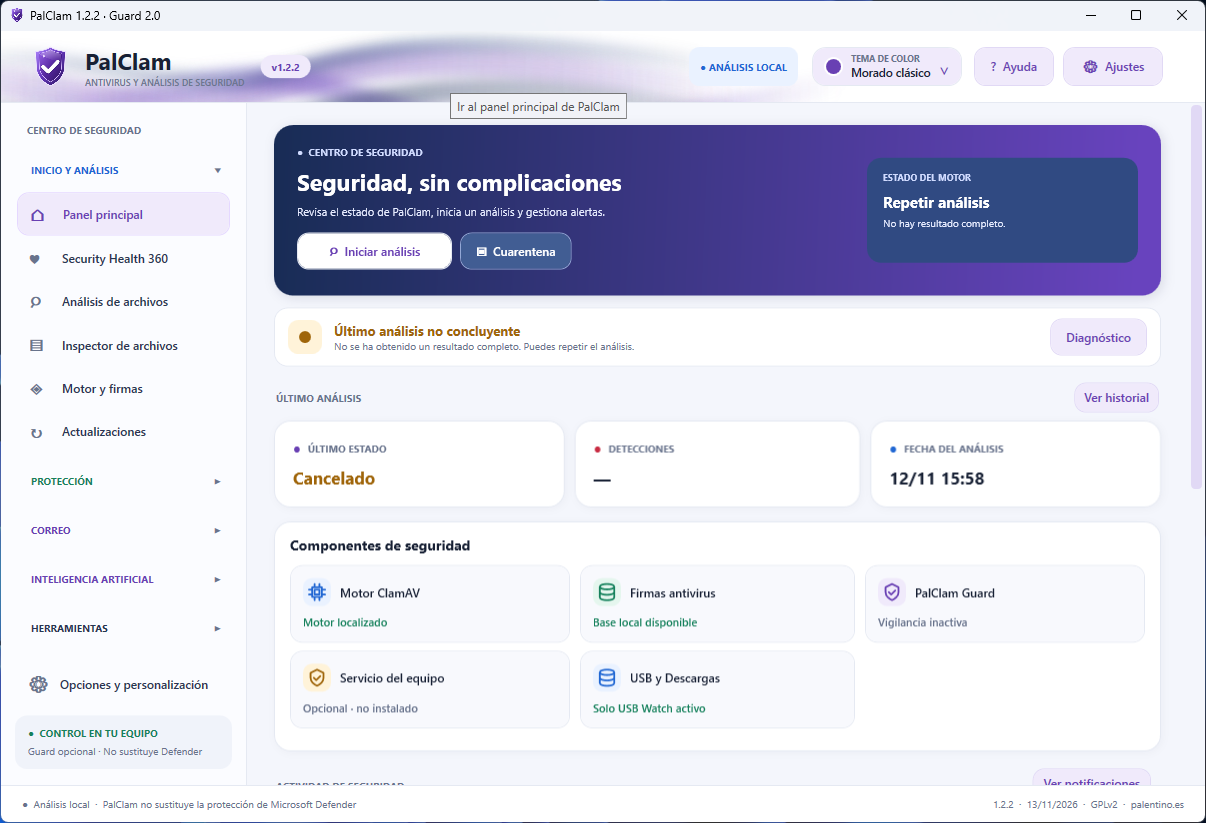
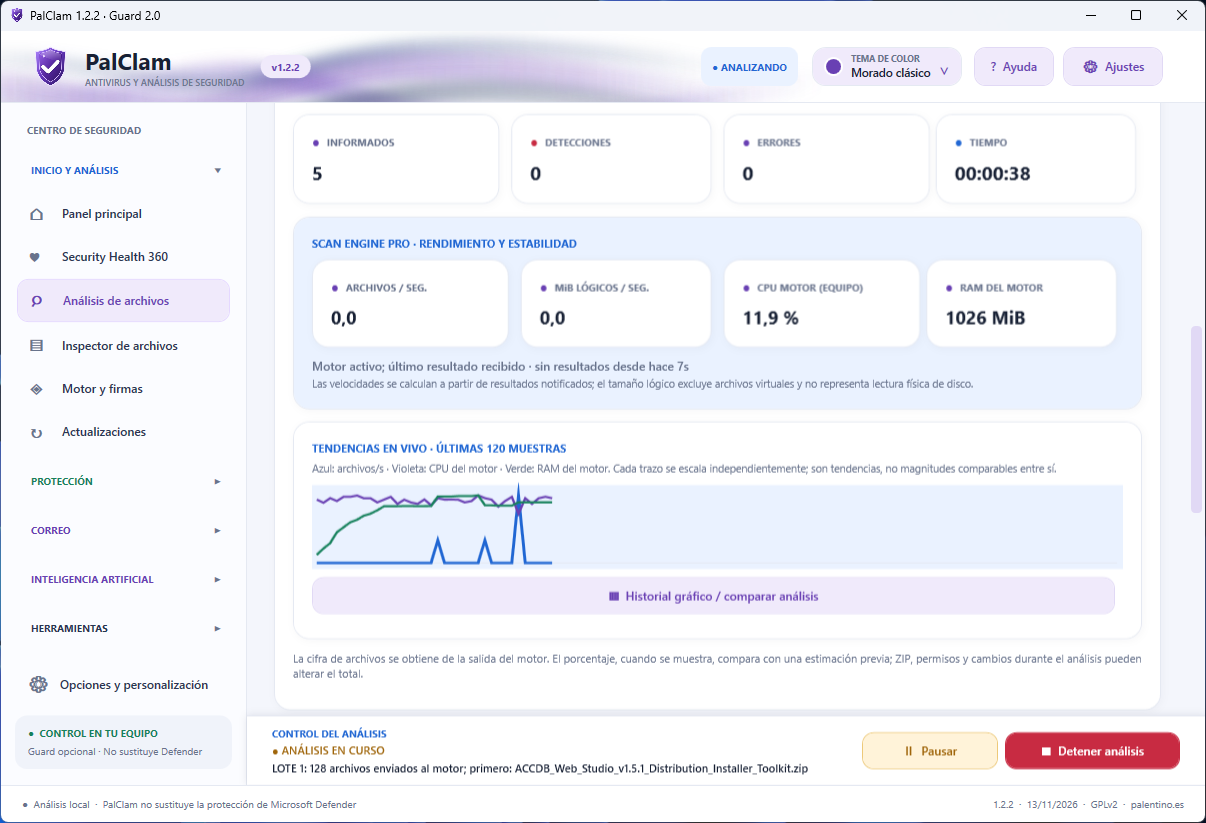
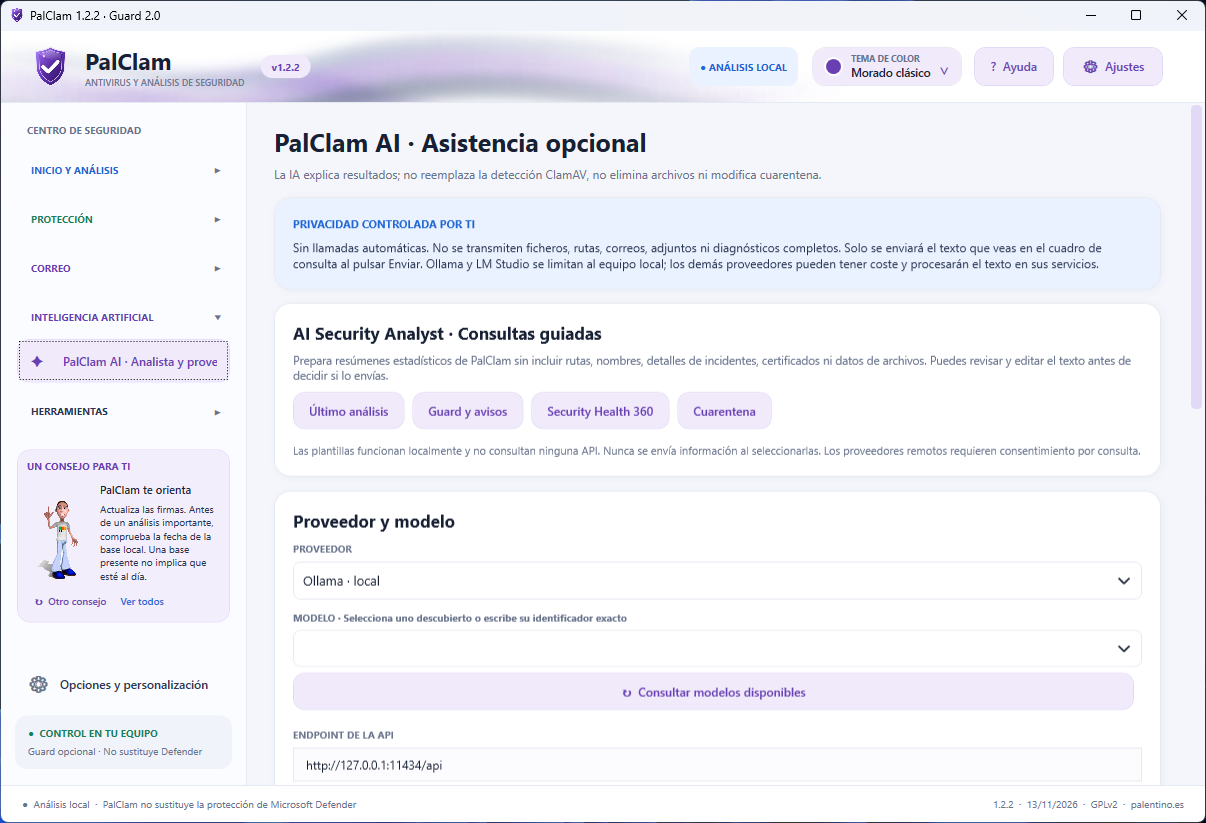
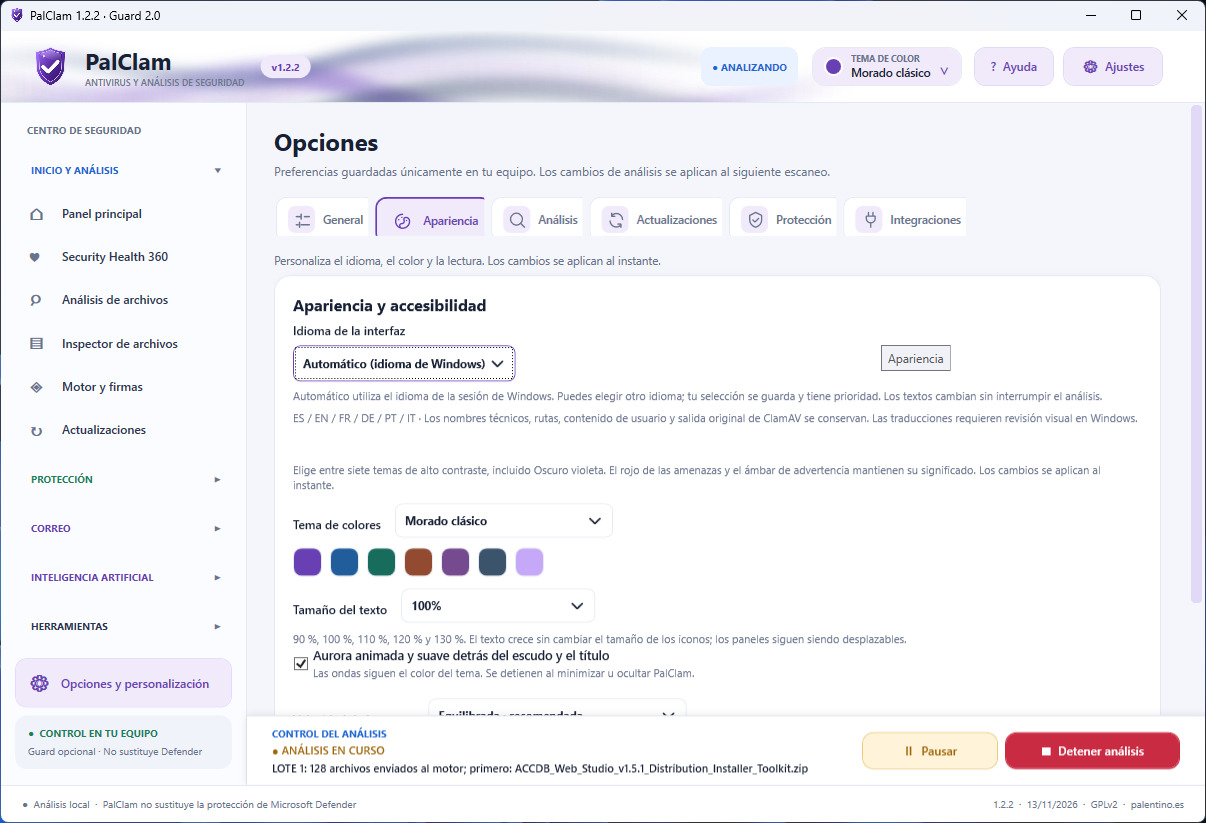
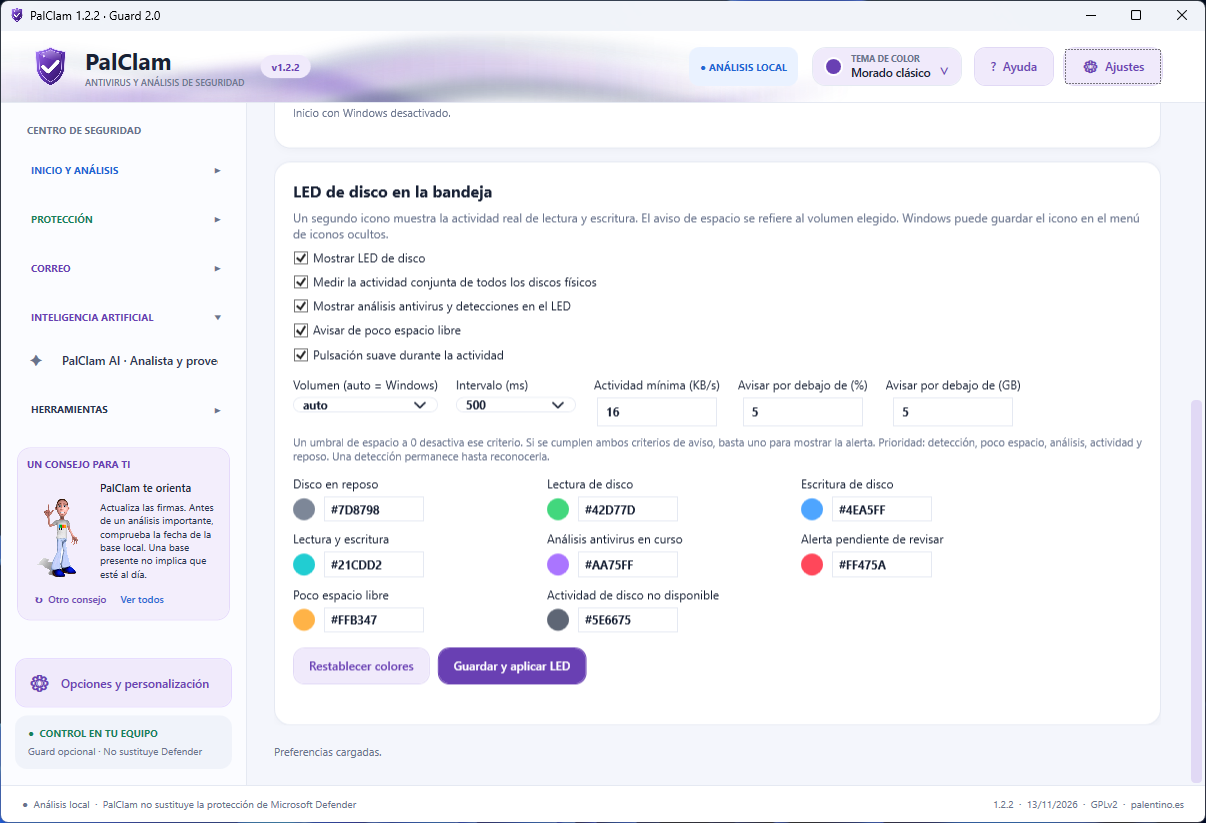
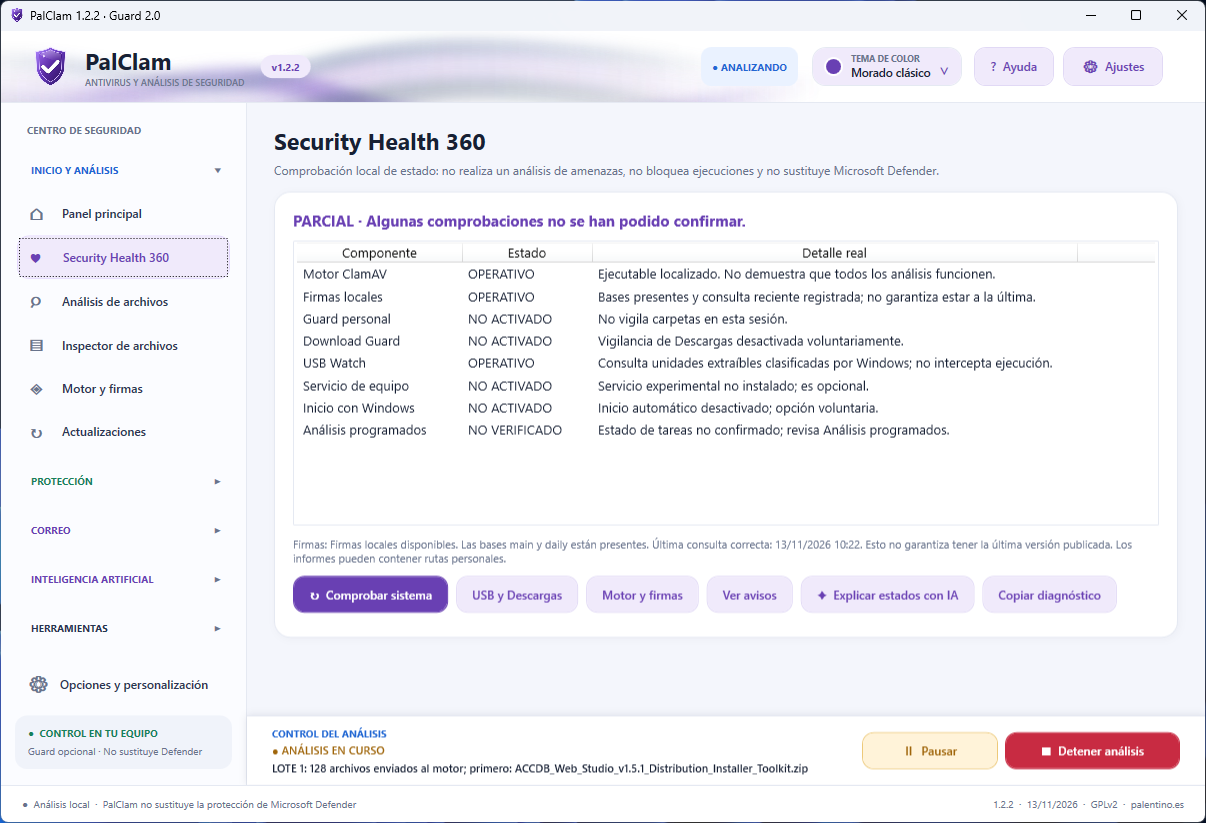
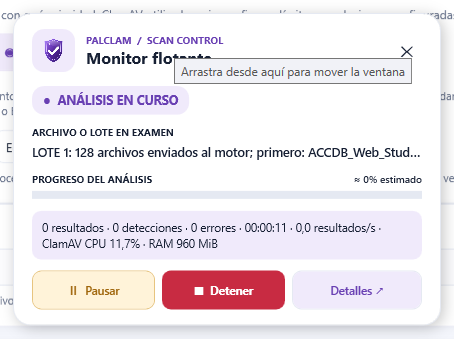
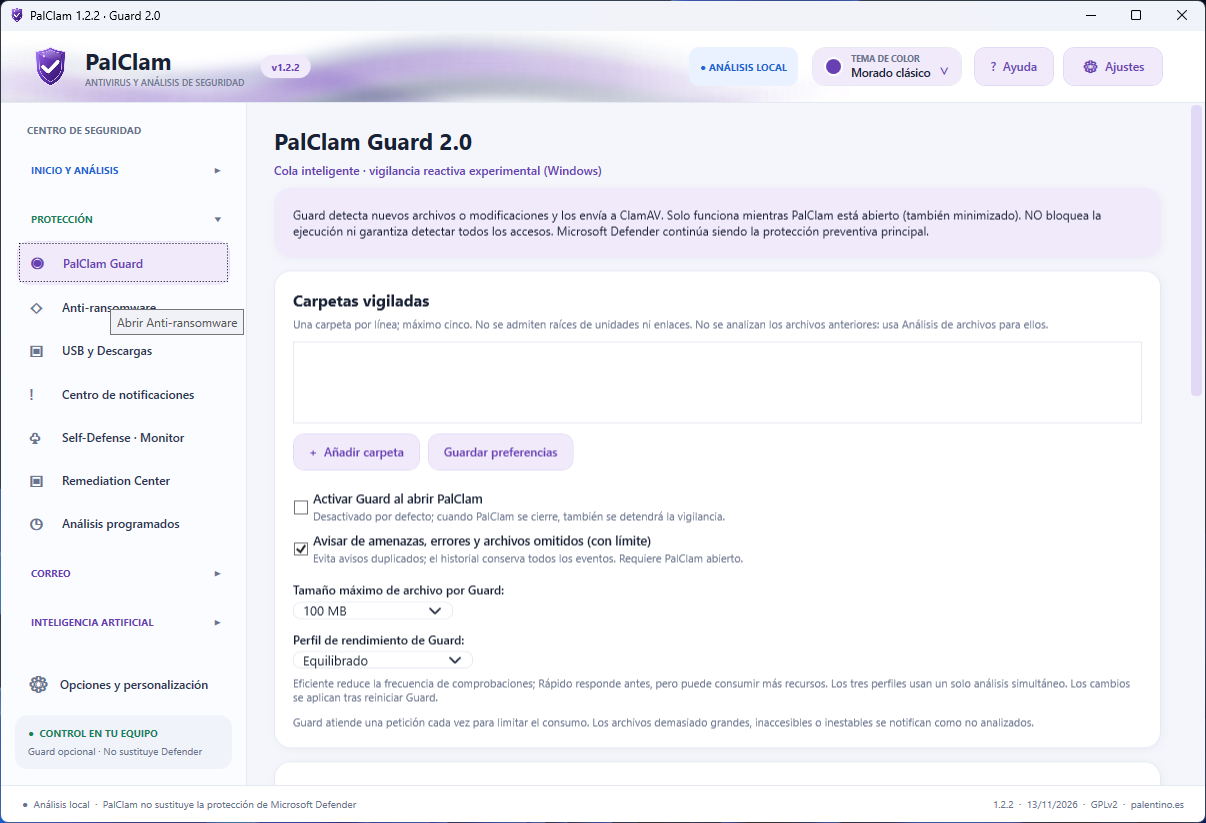
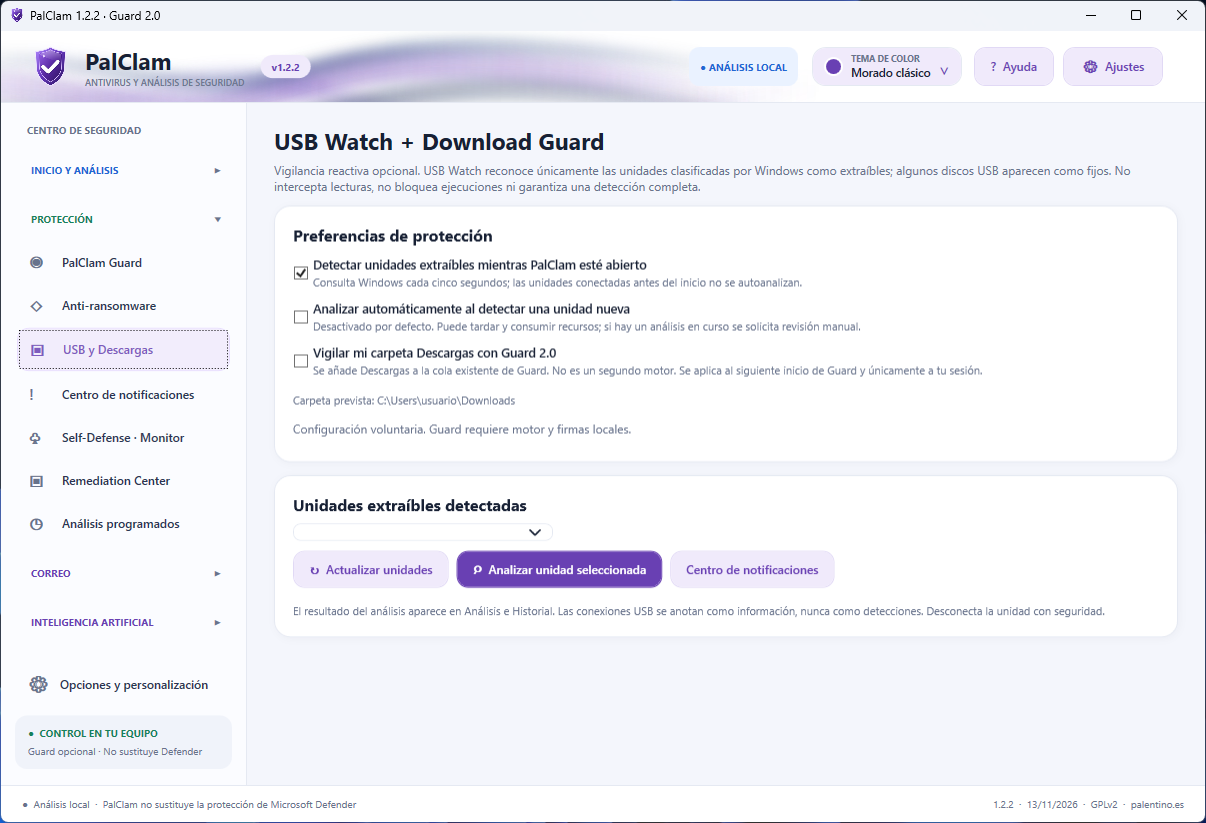
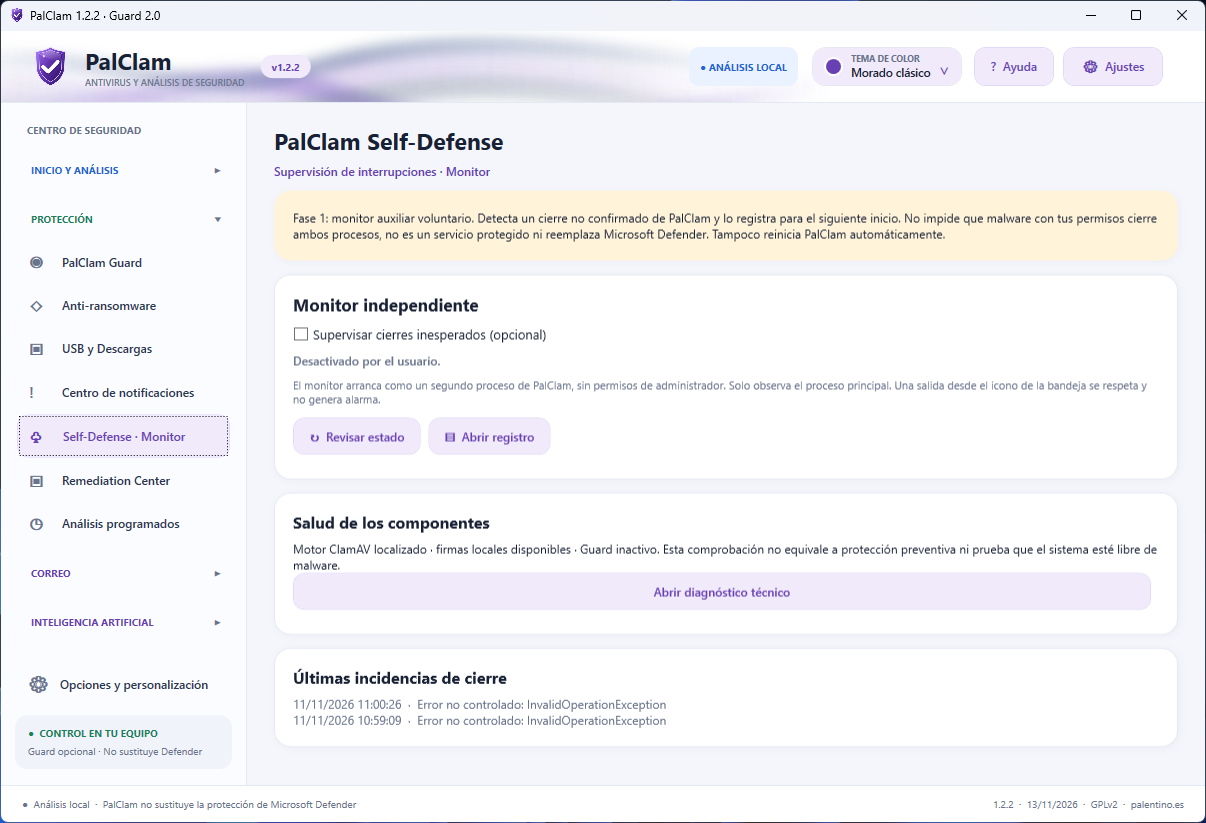
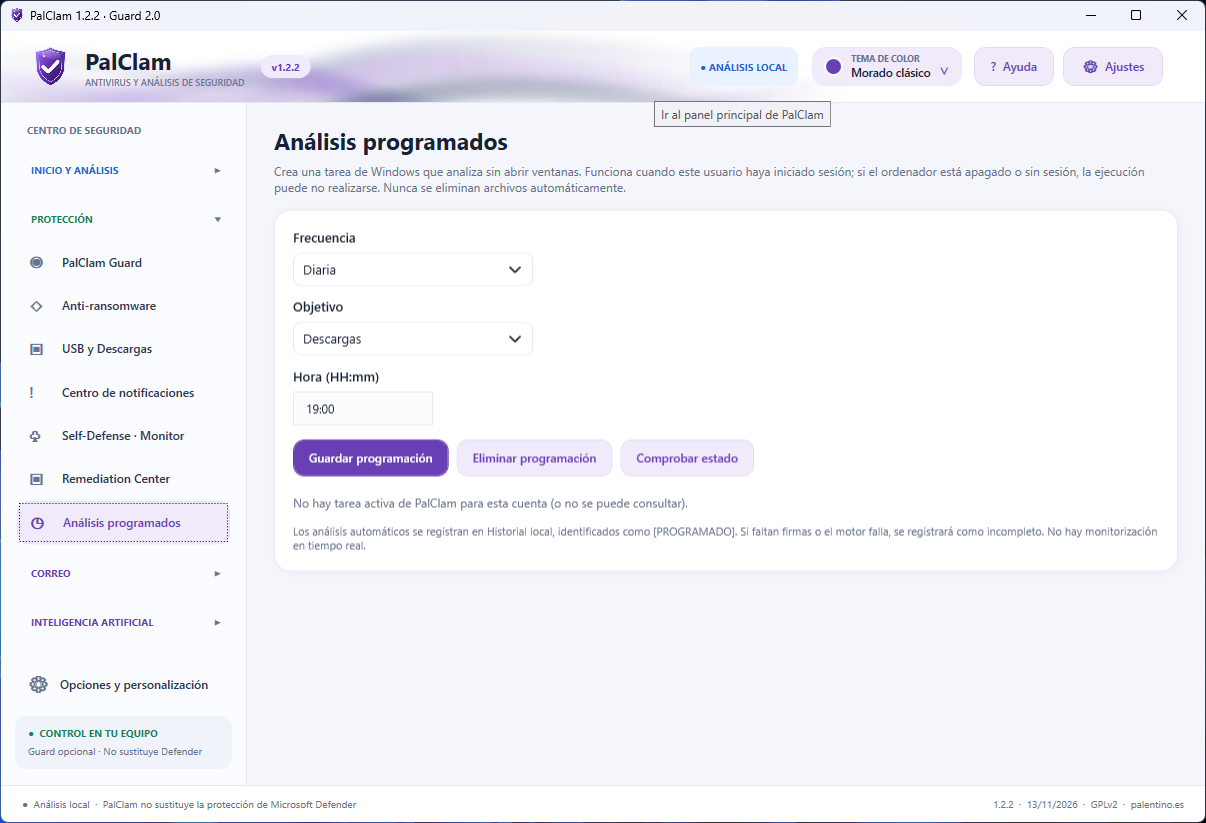
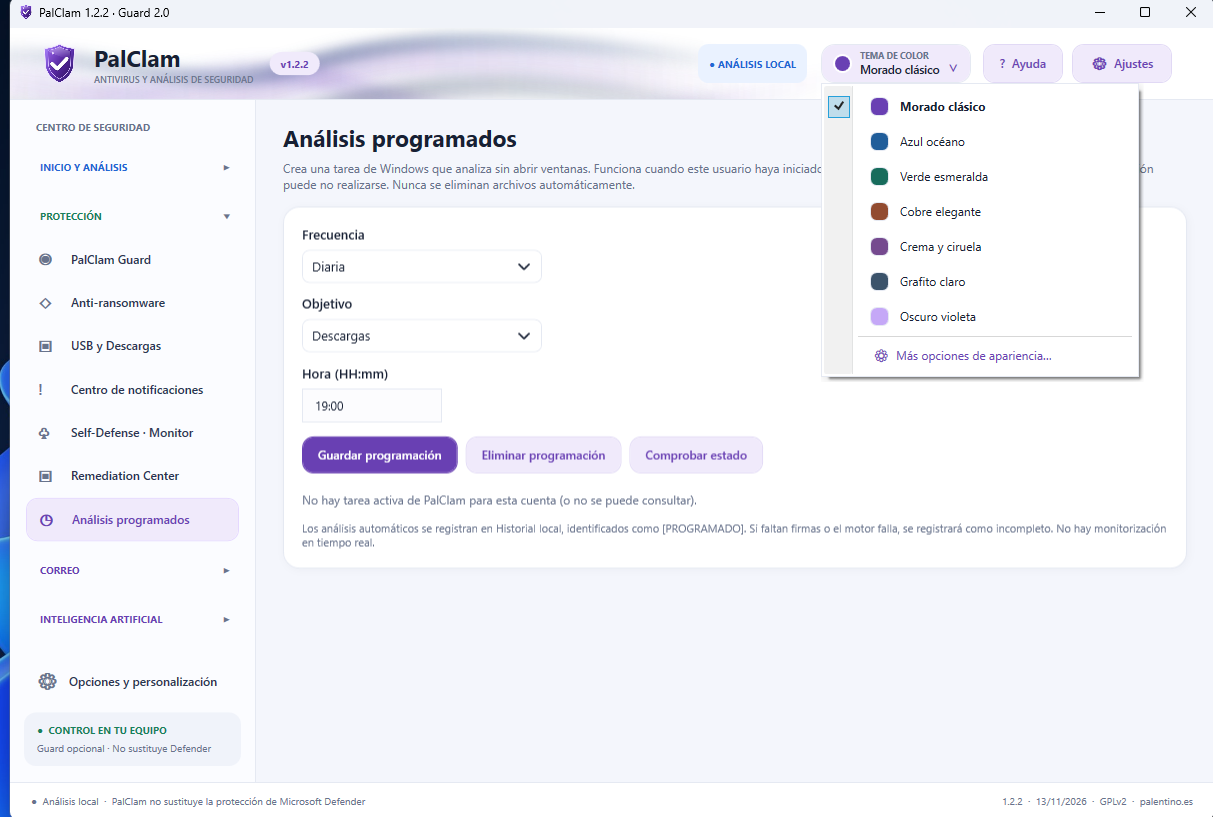
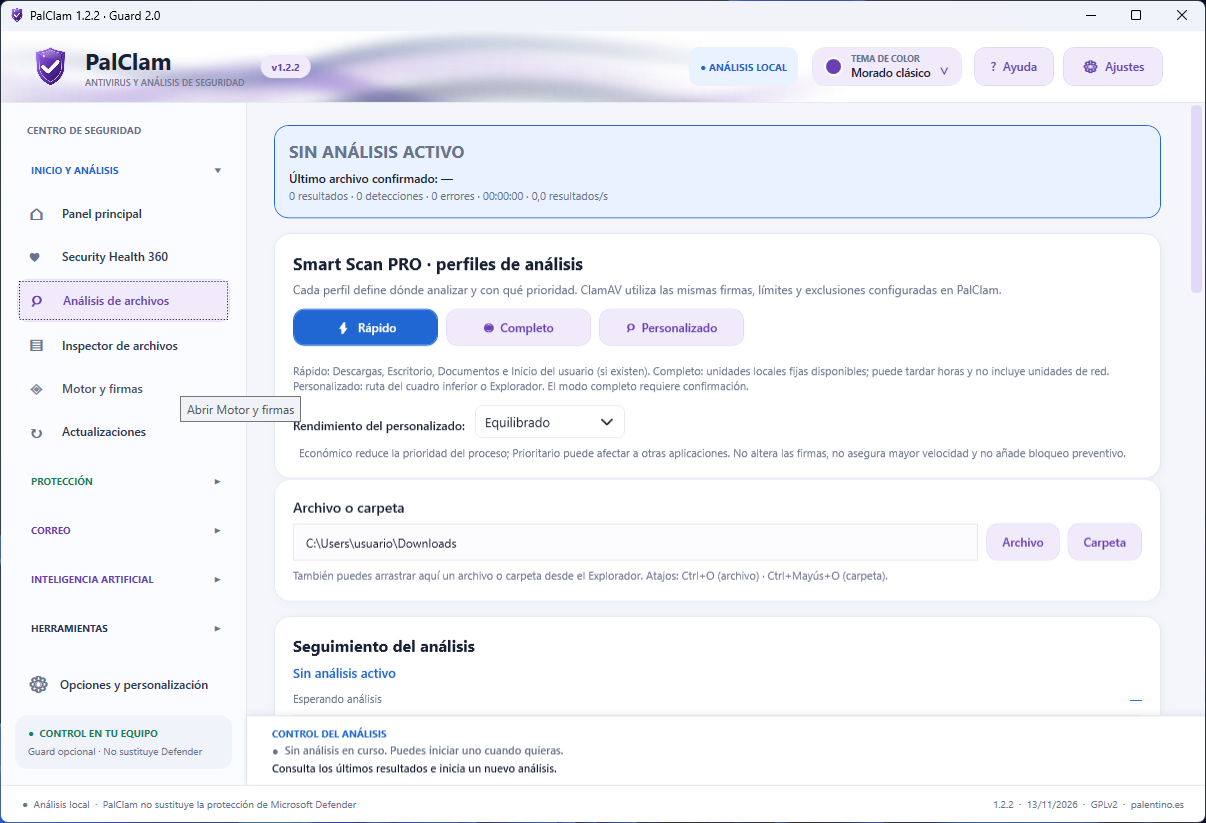
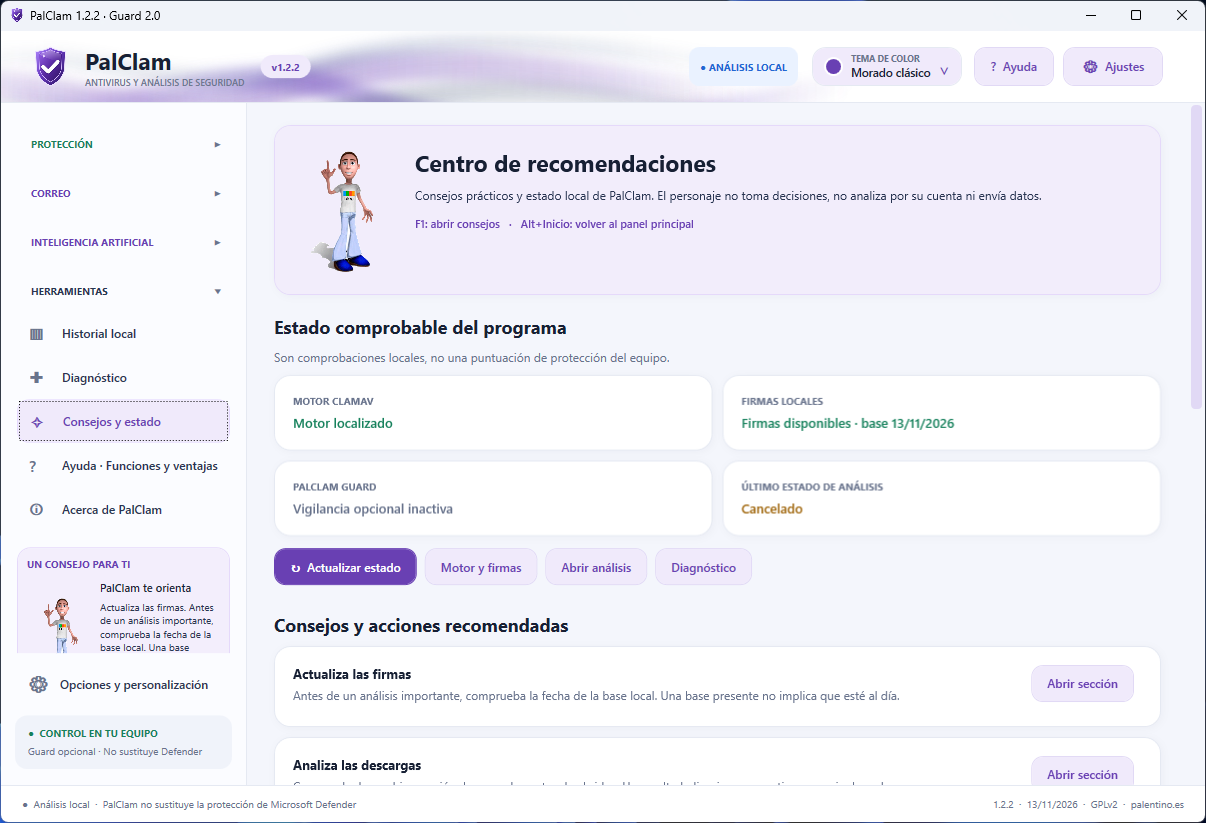
Spanish screenshots provided by the author. Their statuses reflect that session. Some footers retain an earlier GPLv2 reference; the current licence for PalClam's own code is GPLv3 or later.
04 PALCLAM 1.2.2
Choose the package for your computer. Files download from the project’s official release.
Installer for computers running 64-bit Windows. Includes the integration and features of the installed edition.
372 MiB
View SHA-256x86 installer with the matching ClamAV engine. It can also run on 64-bit Windows.
351 MiB
View SHA-256Extract the entire package to a writable folder. Its data is stored alongside the program.
464 MiB
View SHA-256No services, scheduled tasks, automatic startup or Explorer integration.Self-contained packages: no separate .NET installation required.
Choose a compatible Windows version. The x86 edition does not add Windows 7 or 8 support.
GITHUB RELEASES · v1.2.2
These are the SHA-256 digests published on GitHub for the six PalClam 1.2.2 files. Check that your download matches the published file.
PalClam_1.2.2_Setup_win-x64.exe
e8c4e45f8e4cf3966e8c332c91555f4d3b2ca2e3e68e1eae7496b62381a2e782PalClam_1.2.2_Setup_win-x86.exe
8f6bc3daab733eecccfc6096c406597da57130b23996f9bcd00093039360badbPalClam_1.2.2_Portable_win-x64.zip
76756847612dfe791fdcd71801c6b23d6108ff53769ac3b79774283469ad42f6PalClam_1.2.2_Portable_win-x86.zip
52e1c93bc955a8d5c7522276fcf4826685e66c66f855bd23a0ea3f17824df35cPalClam_1.2.2_Setup.exe
6b898829551cac7bb2c8ae491d933758d42c3116fa9002ce5657a11066feb6edPalClam_1.2.2_Source.zip
a48f0721631e5b9fea9d2c23881d3671691bff91cc839e9f4cf9d776dbd3e1dcOpen PowerShell in your download folder and run this command, replacing the filename with your file:
Get-FileHash -Algorithm SHA256 ".\PalClam_1.2.2_Setup_win-x64.exe"Compare all 64 characters of the result with the digest shown here. If they differ, the downloaded file is different.
05 A PROJECT WITH ITS OWN IDENTITY
PalClam brings new life to the ClamAV experience on Windows: a modern interface, practical tools and more information for the user.
A project by Oscar de la Cuesta, created at palentino.es and continually evolving.
Visit the author's blogExplore the public code, follow changes and report issues. You can also download this version’s source code.
06 LET'S BE CLEAR
What to expect from PalClam and how it fits your computer.
Yes. PalClam is free and its own code is distributed under GNU GPL version 3 or later. Optional external services, such as AI APIs, may have their own costs and terms.
PalClam is intended as a complementary tool. Keep Microsoft Defender enabled. Its monitors observe changes and enable scanning; they do not block execution in advance or guarantee detection of every threat.
ClamAV scanning is local and can work offline with the available signatures. Updating the engine or databases, accessing email through Microsoft Graph and querying remote AI providers requires a connection. Installed signatures are not necessarily up to date.
It looks for signs of suspicious behaviour in selected local folders, such as certain renames and file changes. This optional, reactive feature does not confirm malware, prevent writes or recover or decrypt files.
Extract the entire ZIP and run PalClam.exe from a writable folder. Its data stays in Data alongside the program. It registers no services, tasks, automatic startup or Explorer integration. To update, keep Data and replace the program with the new ZIP. Moving to another computer may require re-entering AI keys and adjusting paths.
ClamAV antivirus scanning runs on your computer. AI is optional: you review and authorise the text before a remote query. You can also configure a local provider such as Ollama or LM Studio. AI helps interpret information and never deletes files on its own.
PalClam is an independent project using ClamAV as an external scanning engine. It is not an official ClamAV edition and does not imply affiliation with or endorsement by its maintainers. Each project retains its own identity and licence.
A new experience.
The same commitment to free software.